• Virtual Training Design

    How to Gather Participant Feedback in a Web Conference

    Gathering evaluation feedback from participants in a web conference can be easily done through an online evaluation conducted at the conclusion of your training. The importance of soliciting feedback and making adjustments cannot be understated: since we cannot see our participants, their evaluation of the training is critical.

    Just as in a physical classroom, it’s important to leave few minutes at the end of your session to conduct an evaluation.Participants in a physical classroom generally tend to scoot out the door quickly when a session ends, and this holds true in a virtual classroom as well, so build in time for your evaluation.As the session concludes announce that you would like feedback from participants, then describe what you would like participants to do and approximately how long the evaluation will take.For example, “We would like to know what you thought about this session.Please take a few moments to complete an anonymous 10-question survey.It should only take you about 5 minutes and that’s how much time we have left before the conclusion of today’s session. To access the evaluation go to…”

    Some web conferencing tools have an evaluation tool built into the system that lets you pre-load questions and presents them to participants at the moment of your choosing, or as participants exit .If your web conferencing tool does not include a built-in feedback mechanism, you can build an online evaluation on a web based tool (such as SurveyMonkey, Question Pro, etc) and send the link to participants by posting in the chat box or “pushing” the link to participants which will open a new browser on their screens.

    An evaluation of a training course delivered via web conference is very similar to an evaluation of a course delivered in a physical classroom.However in addition to the questions you typically include in your course evaluation for training in a face-to-face session, consider including questions that will provide feedback on:

    • Pace of session
    • Facilitator’s skill
    • The level of engagement/interactivity of the session
    • Effectiveness of delivering [your course name] in a virtual classroom
    • Interest in receiving more training in a virtual classroom

    Once you’ve gathered feedback from participants, share it with the facilitation team and see what you can learn from the evaluation.Hopefully you will be pleasantly surprised by the ratings and comments.You may even be able to pick out a testimonial or two to help you attract participants for your next web conference.


  • Online Facilitation

    How to Keep Your Cool Online

    Picture this: A project manager with a geographically dispersed team, who was somewhat new to conducting meetings via web conference, decided to facilitate a project kick-off meeting using a web conference. Her goal was to get the team on the same page and make a good first impression. As the meeting started, she lost her Internet connection and lost her virtual meeting room. In a panic, the project manager blurted out that “I guess we won’t have a meeting. Why do these things always happen to ME?” in an exasperated tone. Sound familiar?
    A skilled online facilitator knows that from time to time, there will be technology glitches, and she knows how to keep her cool and deal with these issues with confidence. Ideally, you should partner with someone when facilitating an online meeting so that one person can run the meeting and a second person can handle technical issues. I also always make sure I can access the meeting agenda and handouts outside of the meeting room (either printed copies or a copy on my computer) so that I can continue the meeting on a phone line if needed. Even better if you can email all meeting documents to participants as a back-up.
    In this case, the project manager was using a separate phone connection, and everyone was still connected to the audio bridge. She also had a second person helping with the technical issues. Instead of panicking she could have muted the phone, told her partner that she would start the meeting without the visual and request a signal or a note to her to let her know the status of the virtual meeting room. A comment such as “We are working to restore the meeting room and can actually start without it by introducing the agenda and first topic, etc.” would have appeased her audience.
    As it turned out, in this meeting the internet connection was restored within minutes. The project manager lost credibility with her team by sounding the alarm bells and losing control of the situation. If she had been better prepared and planned with her co-facilitator, she could have seamlessly shifted from plan “a” to plan “b.” The participants would have certainly noticed that things weren’t going exactly as planned, but they would have also observed a professional who was well prepared, confident and kept her cool in a difficult situation.
  • Online Facilitation

    Chatting It Up

    I remember the first time I taught a course via web conference many years ago. My co-worker and I were both new to the technology, and it was the blind leading the blind. We noticed the chat feature and promptly turned it off as we decided that we didn’t want people chatting while we were talking – that would be too distracting, we surmised.

    Now as an experienced web conferencing practitioner, I can’t imagine a web conference without an active chat panel. Do I expect participants to chat as the facilitator speaks? Yes. Is it distracting, or does it mean they aren’t paying attention? No. If you copy and paste the chat text at the conclusion of a web conference and review what participants typed, you will usually see that the majority of the text contains comments about the session, answers to questions posed during the session and clarifying questions from participants. According to the eLearning Guild’s 2008 research report on Synchronous Learning Systems, chat ranks at the top of the feature satisfaction list and feature ease of use, and it’s the fifth most commonly used feature.

    In today’s world of texting and microblogging, participants are more comfortable than ever with the chat panel in a web conference. Encourage your audience to use the chat area early in your session by doing something simple such as typing in their location. Give feedback early by acknowledge those who are the first to use the chat area, to send a signal that you will be responding to chat comments. As you verbalize a question, post it in the chat area as well. You may receive verbal and chat responses, which means more participants had the opportunity to contribute. The facilitator doesn’t need to respond to every chat comment or example, just acknowledge that there are many good examples and highlight a few. Weaving chat comments and questions into the verbal discussion or presentation opens up a huge door for interactivity.

  • Online Facilitation

    Overt Operations in the Virtual Classroom

    My last post focused on using your mouse deliberately for any movement on the screen. What else needs to be executed in a deliberate and overt manner in the virtual classroom? Nanette Miner shares excellent tips on deliberate language in her article, The Non-Drowsy Virtual Classroom in T&D Magazine this month. Miner suggests, “… language in the virtual classroom needs to be much more direct.” and To assist your participants, give written instructions for activities, preferably both on the screen and in a handout.”

    Confusion among participants when they are asked to complete a task or activity is not uncommon, but can be easily eliminated with deliberate language. Graphics and images can also support your instruction. For example, when facilitating a course with scripted role play, we asked two participants to volunteer by raising their hands and simultaneously showed a slide with instructions on how to raise your hand plus an image of raised hands. Next we assigned roles and asked the two volunteers to read the script on the screen. The role play was written like the script for a play and speaker lines were highlighted in corresponding colors to keep it straight. By encircling a task with clear instructions and images, we eliminated confusion and didn’t miss a beat with this exercise.

  • Online Facilitation

    An Antsy Mouse

    I attended a web conference today where the presenter was sharing his screen with the audience and demonstrating various features of a web product that shall remain unnamed. He was a fine speaker, however, he had a frustrating habit that I’ve seen with many web conferencing presenters – I call it antsy mouse syndrome. The presenter was constantly moving his mouse all over the screen as he spoke which was very distracting. In a physical classroom this distracting behavior occurs as well, when the speaker with a laser pointer tries to “circle” what he’s pointing to on the screen. Most speakers naturally have a tendency to gesture to support their spoken word, which is a good thing, however gesturing with a mouse or pointer tool in a web conference will leave your audience dazed as confused as they won’t know where they should focus on the screen.

    To prevent this problem, all of your mouse or pointer movements should be slow and deliberate so your audience can follow your movements. As you point or click, tell the audience what you are doing, for example: “I’m clicking on the Reports tab to open up a drop down menu. Next I’ll select Manager Reports…etc.”

    One way to check your mouse movements to is to log in as a participant and watch the participant view as you click through a web site or whatever it is that you will be demonstrating. Another technique is to record yourself as you rehearse. In either case, watch closely to ensure that your mouse or pointer movements are supporting your content and objectives and not taking away from your audience’s experience.

  • Online Facilitation

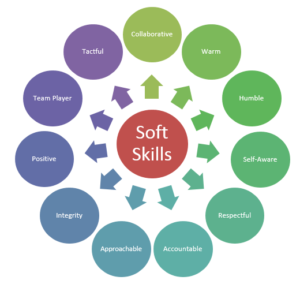
    Teaching Soft Skills: Not “Can We?” But “How Do We?”

    After speaking at the ASTD conference in DC this week, I was discussing with a few conference attendees whether or not you can successfully teach soft skills on a web conference. We exchanged a few good ideas including a suggestion from a participant to incorporate video.

    The discussion made me realize that it’s not a question of “can” but “how” we teach soft skills. With more than 137 workers worldwide involved in some sort of teleworking, a huge number of managers and others have to be able to give performance feedback or inspire others to follow his/her leadership virtually. Teaching these soft skills in a physical classroom is important, however when we teach these skills in a virtual classroom we simulate the real situation that many people face every day. The tools that virtual teams generally have at their disposal are the telephone and email, so they need to be taught how to deliver the appropriate messages verbally over the phone or in written communication.

    Pairing up participants to role play, scripting role plays, and asking participants to type a sample sentence for an email in the chat are just a few of the ways that we can simulate the situations for participants and make the virtual classroom reflect the reality of millions of workers.

  • Online Facilitation

    Facilitation Dream Team

    The content and complexity of your web conference will determine the facilitation team needed. In general, you need a facilitator and a producer to carry out key tasks such as:
    Facilitator Role

      • Main speaker, subject matter expert.
    • Advances slides. Engages audience verbally.
    • Not active in chat. Comments verbally on what others type.
    • Comments on poll results.
    • Leads and debriefs exercises.

    Producer Role

      • Web conferencing expert. May or may not be familiar with subject.
    • Explains technical features. May kick off and conclude the session.
    • Active in chat. Engages audience by posting and responding to questions/comments. Prompts facilitator to address chat questions. Types key messages to reinforce learning as facilitator speaks.
    • Opens/closes polls.
    • Explains how exercises will run.

    What does your faciliation dream team look like?

  • Online Facilitation

    Using Your Voice to Convey Body Language

    If you’ve ever attended presentation skills training, you may be familiar with the research findings that show that audiences receive the most meaning from your presentation from visual cues such as body language (55%), followed by your voice (38%) and finally from the verbal message (7%).

    Let’s assume you are not using a web cam in your web conference। How do you communicate your message and content with impact when your audience cannot see you? The trainer or presenter is left with his/her voice and content to keep participants engaged and interested. I’ll focus on voice in this posting.

    The speaker(s) during a web conference should focus on a variety of volume, pitch and rhythm in their voice. Presentations skills trainers often suggest that you think about how you use your voice when you read a story to your children or other kids. Clarity and focus are also of utmost importance. Finally, to keep the speaker’s voice animated, he or she should stand up during the web conference, smile and gesture while speaking. Even though the participants can’t see this body language, they will hear it in the speaker’s voice.

  • Online Facilitation

    Group vs. Individual Participation

    One of my favorite courses I helped redesign for delivery in a web-conference is a workflow productivity course. During this highly interactive five-hour session, participants learn a new way of organizing to-do lists, emails and paper files. Although all participants are supposed to participate from their desk, in the most recent delivery a small group participated with laptops from a conference room. This was an unplanned twist in the delivery model, but an exception was allowed because we didn’t have time to move the group back to their desks.

    A very interesting group dynamic formed and I learned a great lesson – a mixed audience of individuals participating from their desks plus a group participating from a room may spell trouble. The solo participants were able to connect better with the instructor and other solo participants than the group, and consequently were able to work through the material better. At first I thought the small group would benefit from being together to help each other and exchange ideas, the small group began forming a clique, alienating the rest of the participants. Next time everyone will participate from their desks and we’ll try to leave those high school clique-forming tendencies to the high schoolers!

  • Online Facilitation

    Masie’s Missed Opportunity

    This week the Institute for Corporate Productivity teamed up with Elliot Masie of the MASIE Center Learning Lab and Think Tank to deliver a webinar on Informal & Social Learning. While the content of the webinar was interesting (a summary of findings of research conducted by i4cp with commentary/interpretation by Masie), the delivery was a missed opportunity by Masie to model best practices for utilizing web conferencing software. A few observations:

    1. The first three minutes: My first post on this blog was based on an article by Masie about the importance of the first three minutes of learning, which set the tone for the rest of an event. In this case the first three minutes consisted of an overview of findings as the audience viewed a title slide (not even a slide with key findings). A much more compelling opening would have been to turn some of the more interesting findings into questions for the audience such as, “What was the #1 practice correlated with the occurrence of informal learning?” (answer: sharing best practices).

    2. Duration of each slide: About halfway into the webinar, one slide remained on the screen for 9 minutes as the speakers talked, and the final content slide stayed up for a whopping 12 minutes! Keeping your audience engaged and attentive is an art not a science, but in this case the delivery team could have easily included a few more interesting slides to support their commentary.

    3. Q & A: The last ten minutes of the session were dedicated to Q & A. A good delivery team can weave the questions and answers throughout the web conference. If questions are collected throughout the session, the producer needs to be on the lookout for questions that map to a particular piece of content and get the speaker to incorporate questions from the audience during the entire session.

    Every time we use learning technology, even for a presentation that is not meant to be a true learning event, we have the opportunity to practice what we preach about adult learning. Masie’s content was intriguing, as always, but the delivery needed more polishing.